
Case study · Website · CRM · Ads
UPPF Studio: website, CRM and ads for a Houston PPF and tint shop
Our own paint protection film and window tint shop, and our test bench: the website, the estimate form that feeds the shop CRM, and the Meta ads.
Visit uppfstudio.com- What it is
- Our own paint protection film and window tint shop in Stafford, on the southwest side of Houston
- What we built
- The website and its two design tools, an estimate form wired to the shop CRM, and vertical video ads for Meta
- Stack
- Plain HTML, CSS and JavaScript pages, a PHP script for the form, and the shop CRM at crm.uppfstudio.com
- Results
- No measured number yet. We have not published lead counts or reply times.
Real screen recording, desktop and phoneWebsite · CRM · Ads
01The situation
The problem
A paint protection film and tint shop hears the same three questions on every call: what will it cost, what will it look like, and is that tint legal. The price depends on the car, so there is no single number to post. The website had to answer the rest and turn interest into a request with the car attached.
UPPF Studio is our own shop, in Stafford on the southwest side of Houston. It installs clear paint protection film, color PPF and ceramic window tint. That makes it the place we test things before we build them for anyone else. If an idea doesn't hold up with our own phones ringing, it doesn't go into a client build.
The work behind a quote is real work. Someone has to know the year, make and model, which panels the customer wants covered, and which film. A message that just says "how much for PPF?" starts a back and forth before anyone can give a price. We wanted the first message to carry what the shop needs to answer it.
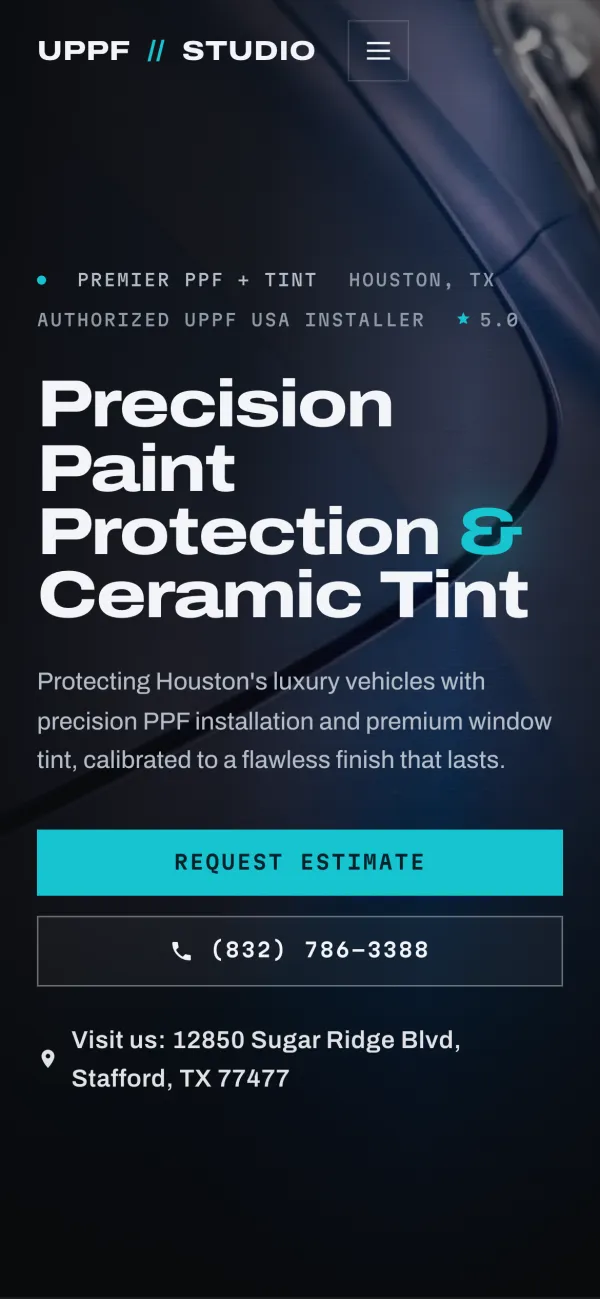
Customers also want to see a color or a tint shade before they commit. And they shop on their phones, so every page had to work on a small screen first, with the call and estimate buttons in easy reach.
Last, a request is only worth something if someone sees it. An estimate that sits in an inbox nobody checks is a job that goes to the next shop.
02The build
What we built
We built four things for the shop: a phone-first website, an estimate form that sends each request into the shop CRM, two tools that let a customer preview a color or a tint shade, and vertical video ads for Meta. Each piece hands off to the next, so a customer can go from an ad to a request.
Nothing here needed a big platform. The pages are plain files, the form is one script on the same server, and the CRM is a separate system the form talks to.
- The website at uppfstudio.com: plain HTML, CSS and JavaScript pages, with a tap-to-call button and a Request Estimate button in the header.
- An estimate form that asks for name, phone, email, the vehicle, the service (clear PPF, color PPF, window tint or not sure yet) and a message.
- A spam gate in front of the form: a hidden field only bots fill in, a one-time token the page has to fetch, rate limits and content checks. Anything flagged is logged and never reaches the CRM.
- CRM intake: a real request goes to the shop CRM at crm.uppfstudio.com, the shop gets an email alert, and the customer gets an email back saying the request arrived.
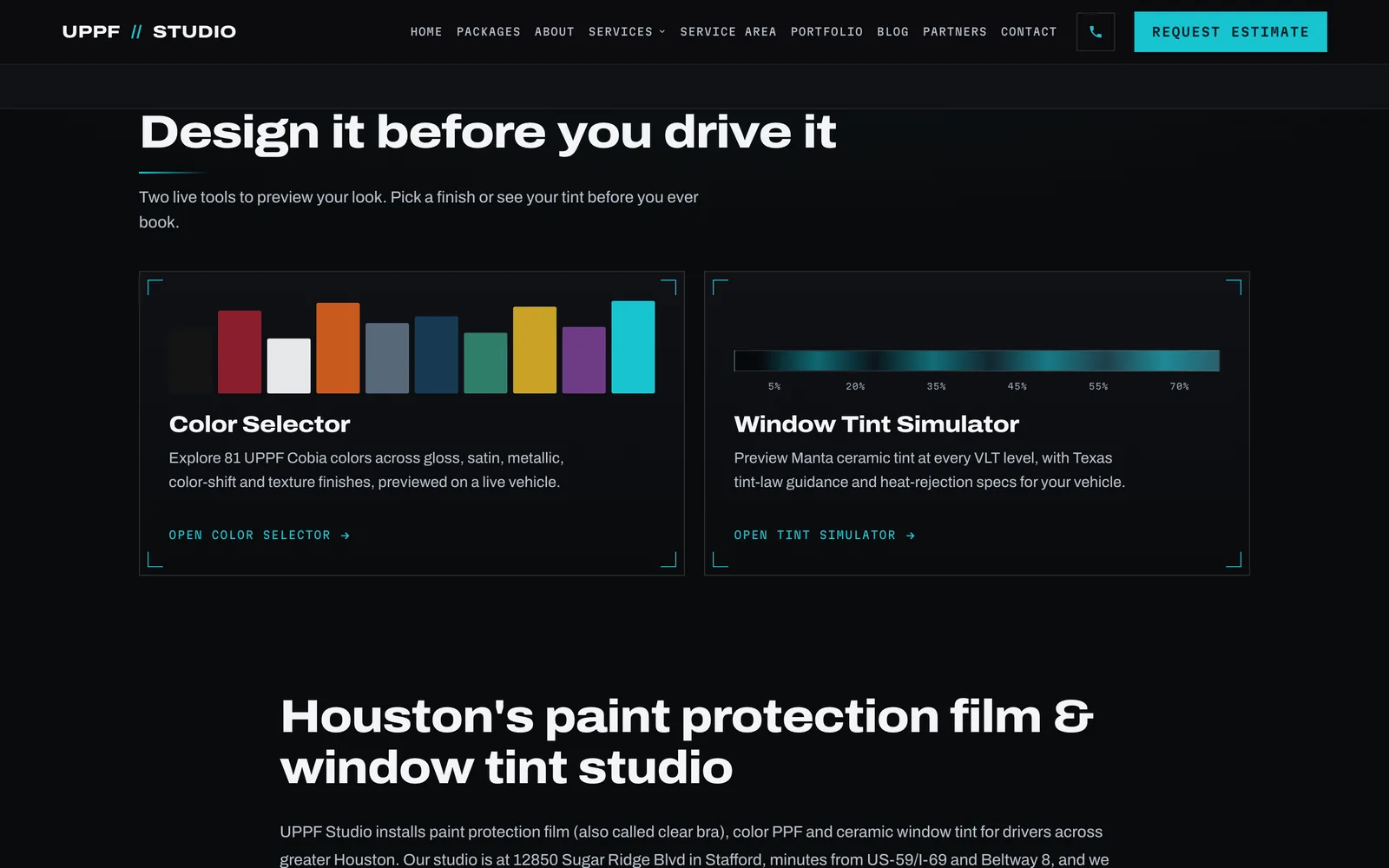
- The Color Selector, which previews UPPF Cobia color films on a vehicle by finish, with a side by side compare and a 360 view.
- The Window Tint Simulator, which shows Manta ceramic tint from the darkest shade to the lightest, with heat and UV specs and the Texas rule for front windows.
- A page for each service and each nearby city, plus a PPF cost page, Tesla and Cybertruck pages, an FAQ and a blog.
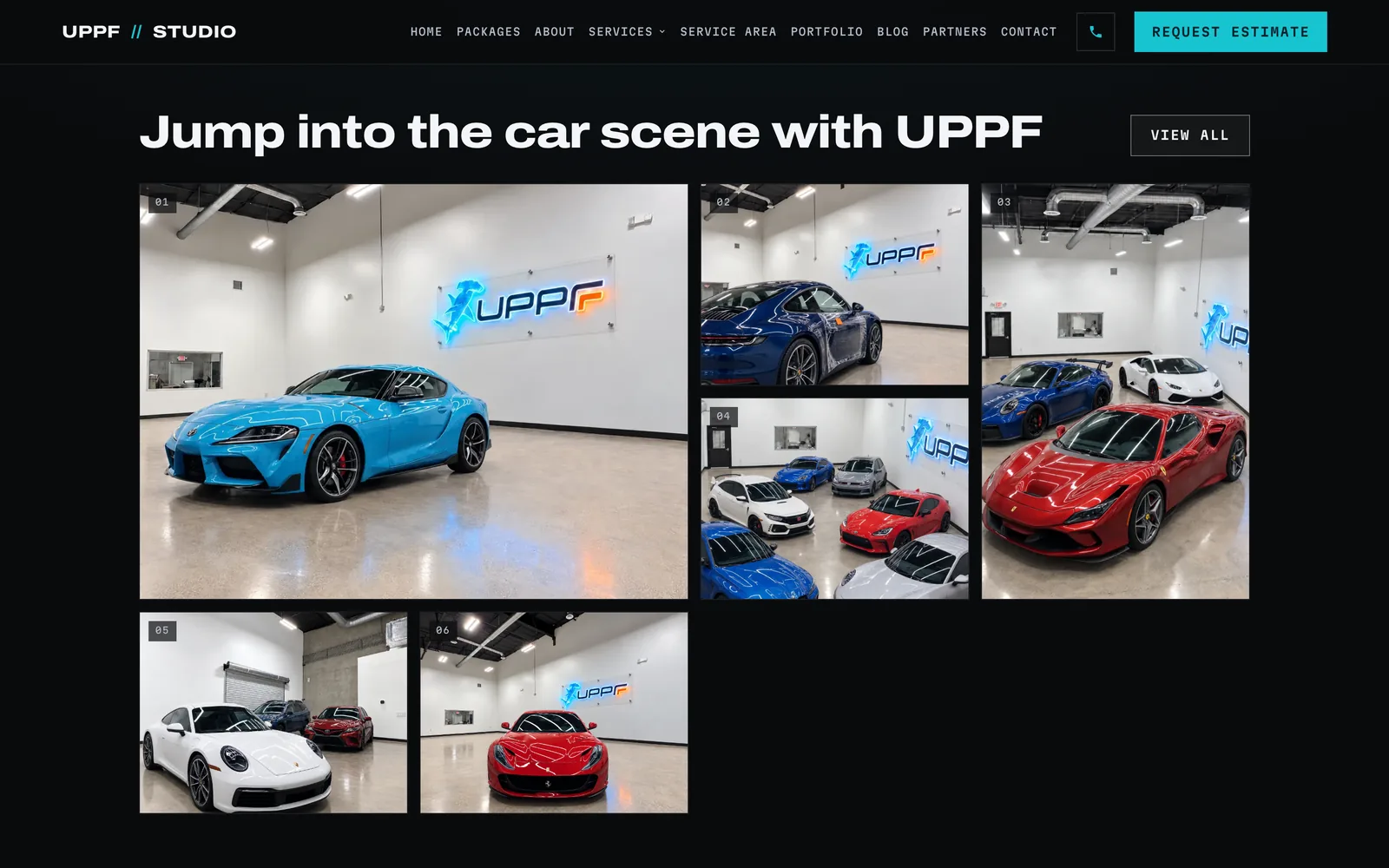
- A bay photo grid on the home page and a portfolio page.
- Vertical video ads for Meta: spokesperson ads and cinematic ads for PPF and ceramic tint, cut for phone feeds.
03The screens
The site, the tools and an ad
These are captures of the live site taken on October 15, 2026: the bay photo grid and the two design tools on a laptop, the first screen on a phone, and one of the vertical ads we made for the shop. The ad is shown as an example of the work, not as a current offer.
04Detail: the form
From estimate request to the CRM
When a customer sends the estimate form, a script on the website's server checks it for spam first. A real request is passed to the shop CRM, the shop gets an email with the details, and the customer gets an email confirming it arrived. Whether each email actually sent is written to a log, so nothing is assumed.
We kept the form short on purpose. Name, phone and email, so the shop can reply. The vehicle, because a PPF quote starts there. The service as a simple choice, with "not sure yet" for people who don't know the words. And a message box for everything else.
The spam checks run cheapest first and lean toward letting a request through when in doubt. Our first version trusted a timestamp sent by the browser, which a bot can fake. It now uses a one-time token the server signs, so a bot that never loaded the page can't pass. Spam still gets a normal looking reply, so the scripts sending it don't learn they were blocked.
The CRM receives each request with the vehicle and the service the customer picked, so whoever answers knows what was asked before they pick up the phone. We keep the CRM details general on this page, because it is the shop's working system. The CRM side is the kind of build we do in AI and software.
05Detail: the tools
Two tools that answer questions before a call
The Color Selector and the Window Tint Simulator answer the two questions a phone call can't: what will this color look like, and how dark is this tint. A customer can try finishes and shades on their own time, then send a request already knowing what they want. Both tool pages link straight to the estimate form.
The Color Selector shows UPPF Cobia color films on a vehicle, grouped by finish, from gloss and satin to metallic and color-shift. Pick one color, add a second, and compare them side by side. A full screen view and a 360 view help when someone is weighing a full color change.
The Window Tint Simulator shows Manta ceramic tint at each shade, darkest to lightest, with the heat, infrared and UV figures for that film. It also says what Texas allows on the front side windows, so the legal question is answered before anyone has to ask it.
Each tool page carries a short how-to and a few questions and answers in plain words. That helps the customer, and it gives search engines something real to read on a page that would otherwise be mostly a widget.
Neither tool gives a price. The shop quotes each car on its own, so the tools are there to bring the customer to that conversation with a clear idea of what they want.
06Detail: the ads
The ads, and what they are for
We made vertical video ads for Meta in two styles: spokesperson ads with a presenter talking to the camera, and cinematic ads built around one moment, like a rock chip in black paint or a car parked in summer heat. Most end by asking the viewer to send a photo of their car or ask for a price.
The cinematic PPF ad opens on a chip in black paint with the line "One rock on 610," a highway every Houston driver knows. The ceramic tint ad opens on a black Tesla and the heat building inside a parked car. The spokesperson ads cover the same two services, with a presenter explaining them in a shop setting.
They are cut for phone feeds: tall 9:16 video, short, with big words on screen so they still make sense with the sound off.
Some of these ads show prices on screen. Prices change, so read any price in them as a snapshot from when the ad was made, not an offer. The shop quotes each car on its own.
We have not published spend, reach or lead numbers for these ads. When we do, they will come from the ad account and the CRM, with dates. Ads like these are part of our marketing work.
07The result
What it does for the owner
Every estimate request lands in one place with the car and the service on it, the shop hears about it by email right away, and the customer gets a confirmation. Spam stays out of the CRM. We don't have a measured result to show yet, so this page has no lead counts and no reply times.
For the owner, the win is fewer loose ends. A request doesn't depend on someone checking the right inbox, because it goes to the CRM and to email at the same time. The customer gets a note that it arrived, so they aren't left wondering.
The tools do some of the explaining before anyone picks up the phone. A customer who has already compared two colors or picked a tint shade comes to the conversation further along.
The ads reach drivers who aren't searching yet, and they point back to the same site and the same form, so every path ends in the CRM.
What we can't tell you yet is how many requests came in, how fast they were answered, or how many became jobs. Those numbers live in the CRM. When we publish them, they will be real counts with dates, not estimates.
08Oversight
What a person still decides
The system collects and sorts. A person does everything that needs judgment: quoting the car, recommending a film and how much of the car to cover, checking that a tint shade is legal for that window, booking the install, and answering every request. A person also approves every ad before it runs and sets the ad budget.
Every car is quoted on its own. The form gathers the facts, but the price comes from someone who knows the film, the panels and the car in front of them.
The only automatic message the form sends is the confirmation email. The answer to the customer's actual question comes from a person.
The ads work the same way. We write and cut them, but a person decides what runs, what it says and when it stops.
09Lessons
What we would do differently
Four things. Build the spam gate properly on day one, keep prices out of the video, test the form one tap closer to the first screen, and decide what to measure before launch. Each one comes from running this setup at our own shop, and each one now goes into client builds from the start.
- Build the spam gate right the first time. Our first check trusted a timestamp from the browser, which a bot can fake. We replaced it with a one-time token the server signs. On a client build, that is in from day one.
- Keep prices out of the video. A price burned into an ad dates it the day the price changes. We would put the price in the ad text, which takes a minute to edit, and keep the video good for longer.
- Put the form one tap closer. The Request Estimate button opens a separate contact page. We would test a short form right on the home page and keep whichever brings in more requests.
- Decide the numbers before launch. We would track requests by source and time to first reply from day one, so this page could show a before and after instead of saying there is no number yet.
Free 30-minute call
Want this for your shop?
Book a free 30-minute call. Bring how a customer reaches you today, and we'll show you what we would build.
Flat price in writing · You own what we build · Houston and about 50 minutes around