
The custom CRM Elevate runs on
Our own leads, calls and follow-ups run through a CRM we built. Every form on this site writes straight into it.
- Built
- CRM, booking page, follow-up, owner dashboard
- Status
- In use. Site intake live since October 1, 2026
- Stack
- React and TypeScript, a Node backend with SQLite, Google Calendar and Gmail
- Whose
- Our own system
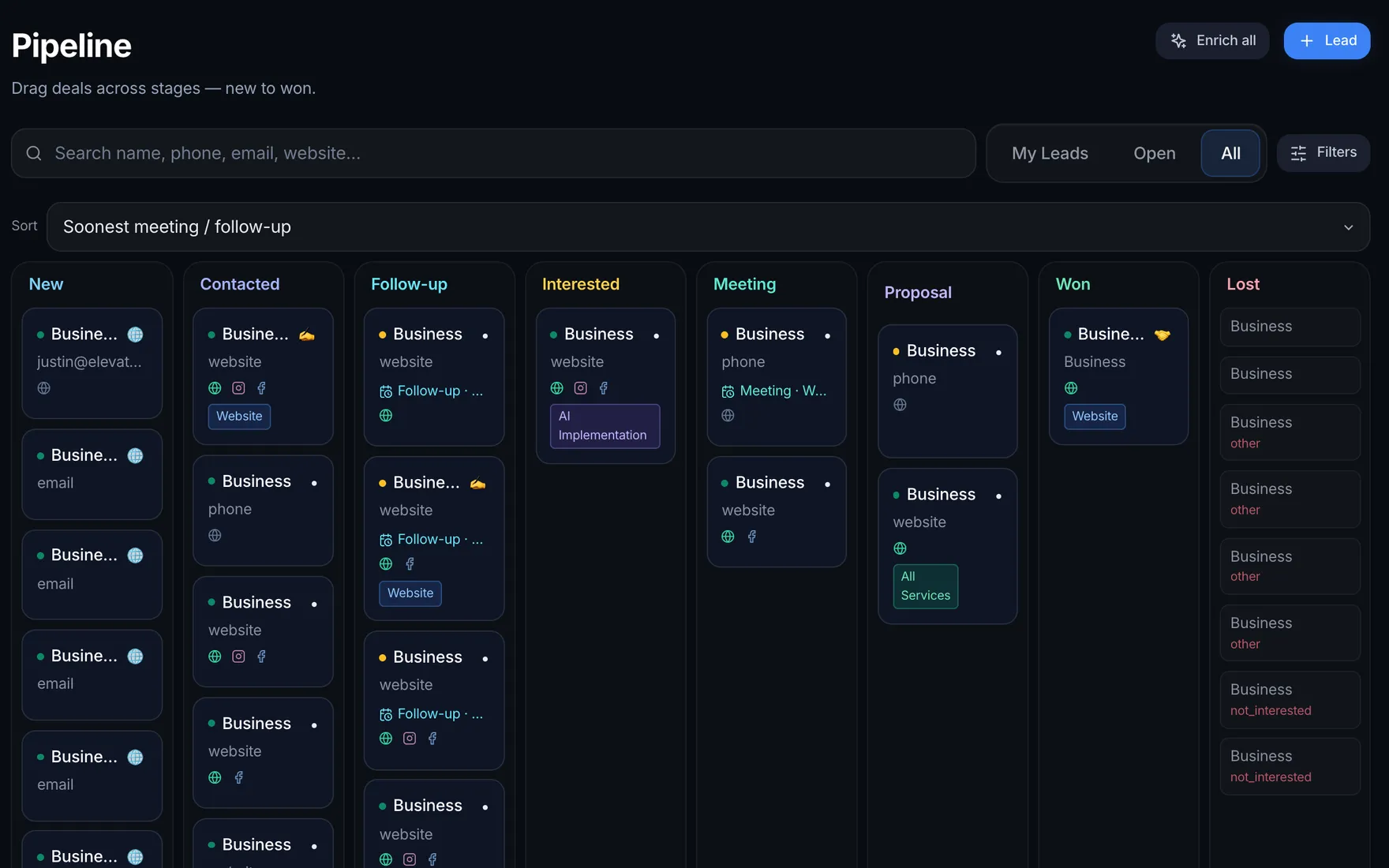
Real captureCRM · Booking · Follow-up · Dashboard
The problem
The CRM already held our leads and our pipeline, but the website did not write to it. Until October 1, 2026, a form sent from this site never reached the CRM at all, so every web lead depended on someone noticing it in an inbox and moving it by hand.
That is the same gap we look for on a first call with an owner. The tools exist, but they do not talk to each other, and the lead falls between them. A form lands in one place, the calendar lives in another, and the follow-up lives in somebody's memory.
The booking page had its own version of the problem. The times it offered were not read from a real calendar, so a lead who picked a time had only asked for it. A lead who did not book got nothing back at all.
What we built
One system that holds every lead from the moment a form is sent to the moment the job is won or lost. Intake, the pipeline, the calendar, booking, follow-up and the owner's home screen all read and write the same records, so nothing has to be copied between tools.
- Intake. Every form on this site sends a signed request to the CRM with where the lead came from: the page, any campaign tags, the time zone and what they asked for. Repeats are ignored and spam is set aside where it cannot trigger an alert.
- A safety net. Every submission is saved as an encrypted copy first. If the CRM is down, the visitor still sees that the request arrived, and the CRM picks up the saved copies once it is back.
- Pipeline. Stages that match how we sell, from New through Meeting and Proposal to Won or Lost. Every lead carries a next step with a date, and the reminder fires whether or not anyone remembers.
- Real booking. Open times come from Google Calendar, the meetings already in the CRM and blocked time, with a buffer between calls. Picking a time books it, with a Meet link, a confirmation page and a link to move or cancel.
- Follow-up. A short receipt right away, then nudges at day 1, 3 and 7 with the booking link. Booking stops the rest. Every message type starts in approve mode.
- The owner's home screen. Follow-ups due, the next meetings and the leads going quiet come first, then the pipeline numbers underneath.
- Roles. Payments open only for the owner, and admin screens sit apart from the everyday view.
The real screens
Real captures of our own system. Every other person's or business's name was replaced before capture, and counts and money are hidden. The booking screens are the same flow a visitor uses on this site when they pick a time.
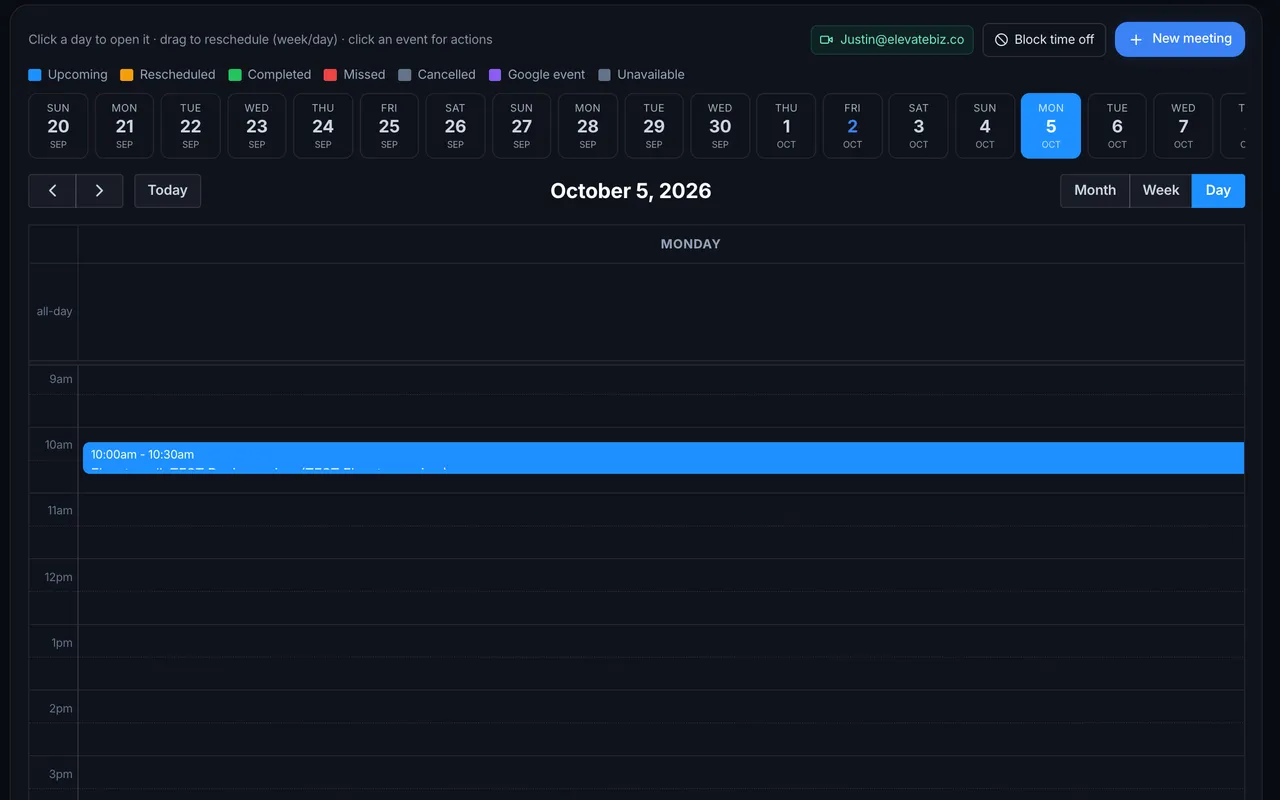
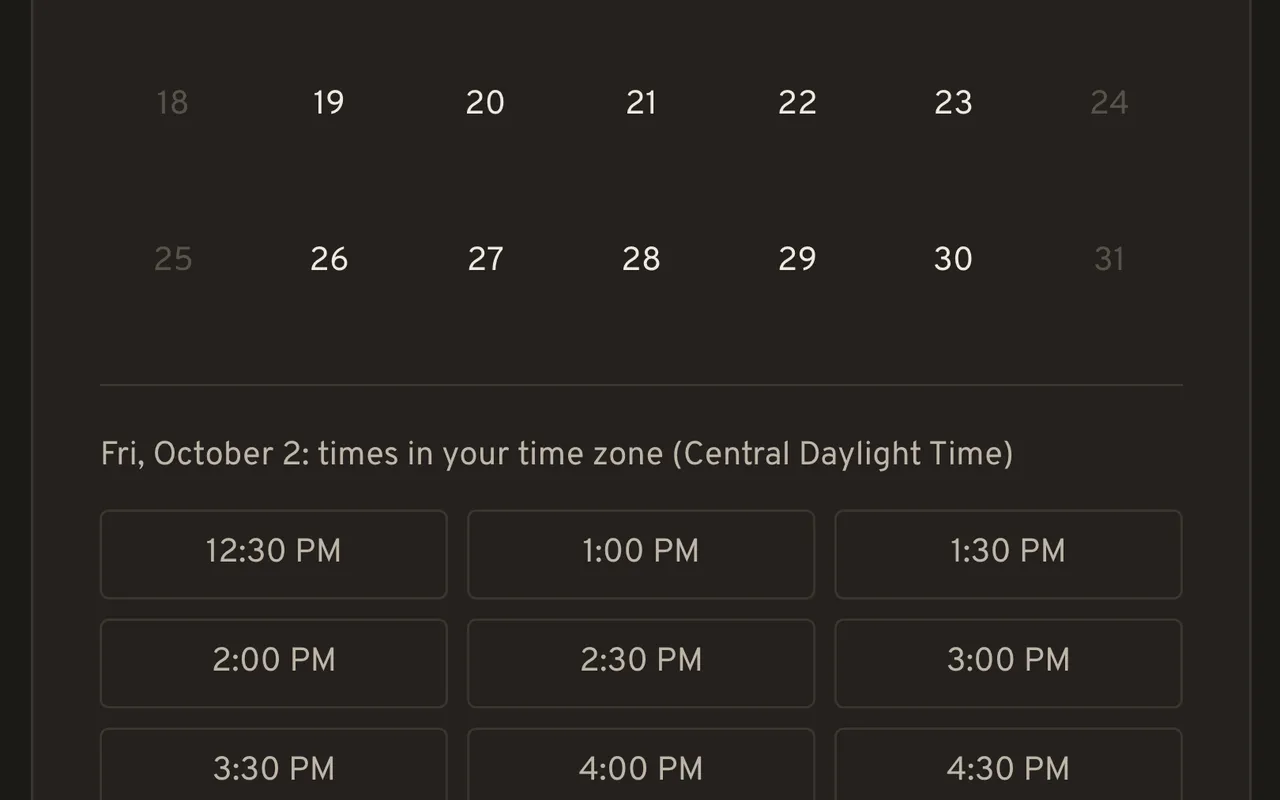
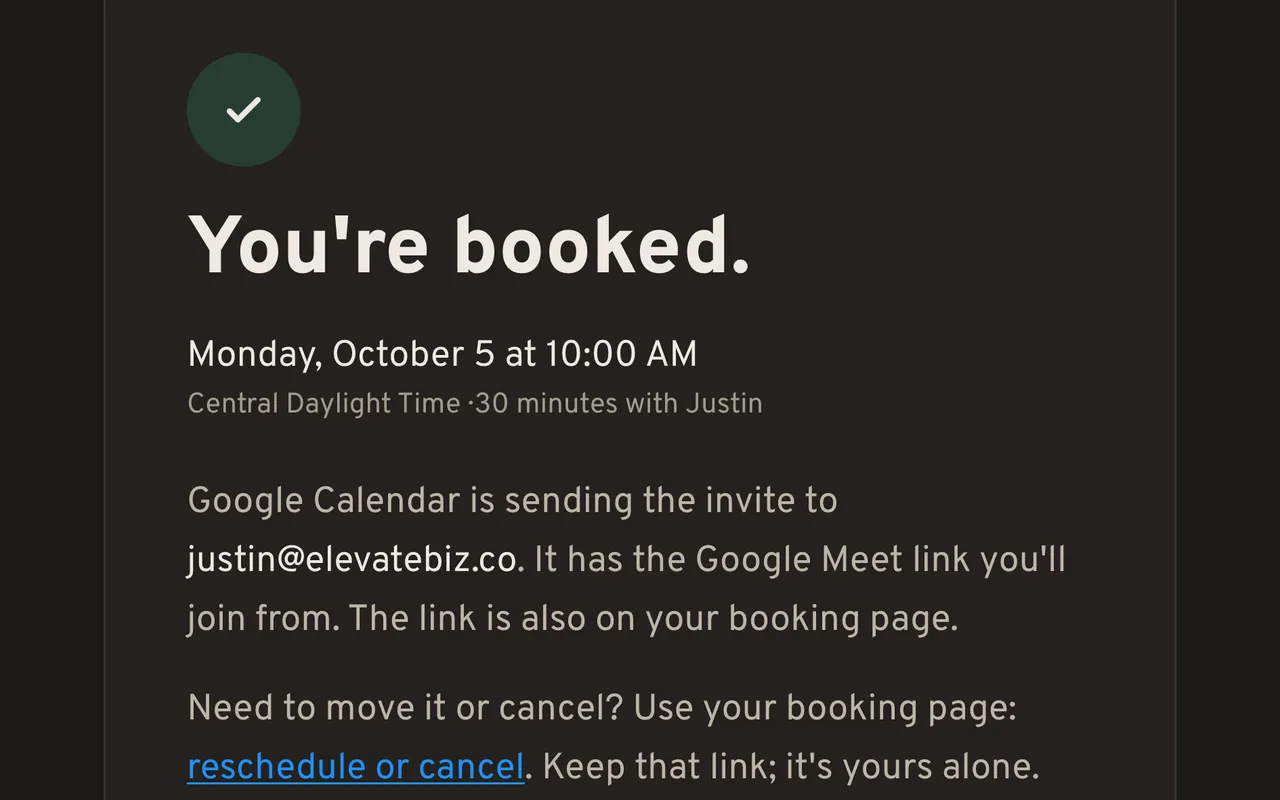
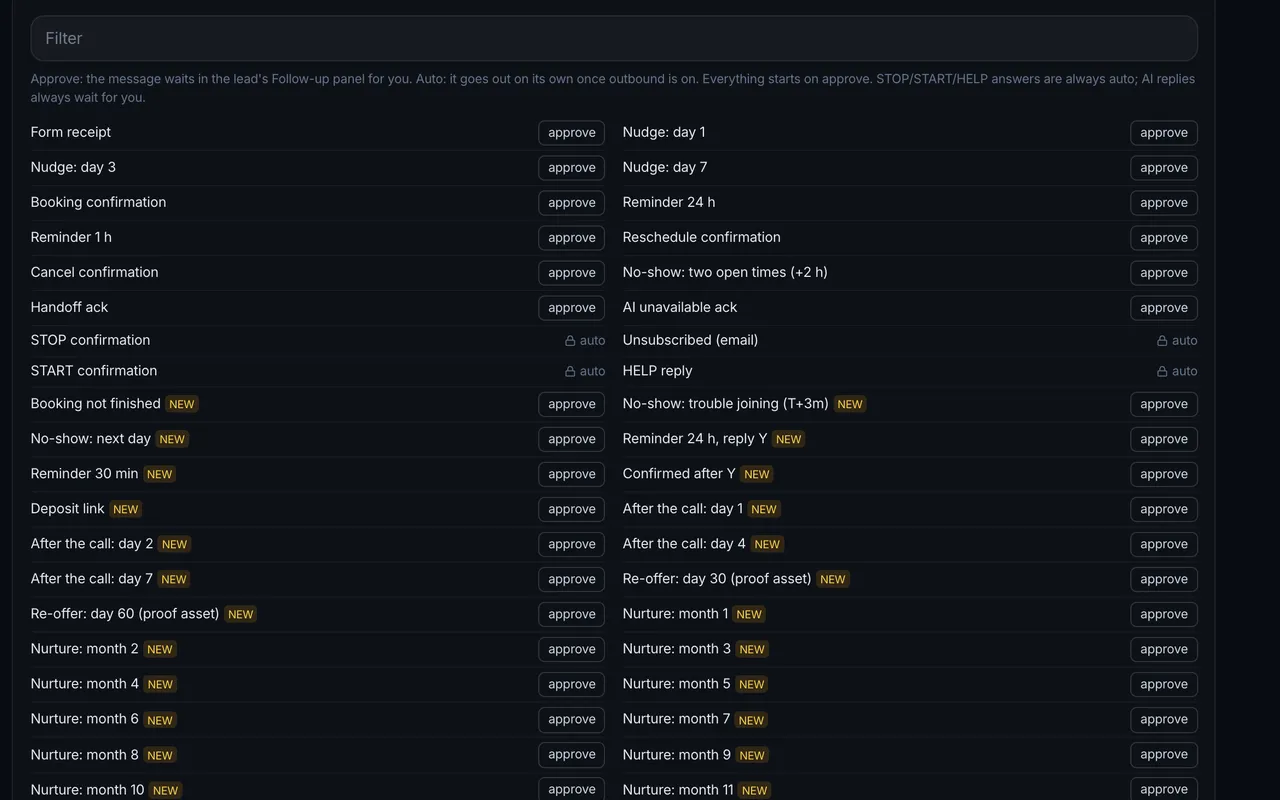
Booking and follow-up
You can use this part yourself: the booking page on this site is the front of it. A time picked here is a booked call on the calendar, not a request, and a lead who does not book gets a receipt and timed nudges that stop the moment they book.
Reminders are set for 24 hours and 1 hour before the call. A double booking is refused, and the visitor is shown the nearest open times instead. If the calendar cannot be read, the page does not guess: it switches to request mode, saves the request and says the time will be confirmed.
Messages wait for daytime in the lead's own time zone, each lead gets a capped number per day, and a lead who says stop, in any words, is stopped on every channel. The first automated message says it is automated and that a person reads every reply.
When a lead writes back, the AI drafts an answer from a fact sheet the owner approved and offers real open times. The owner gets the draft with three choices: send it, edit it, or take it over. Questions about price, complaints, anything legal and "is this a bot?" never reach the AI. They go straight to a person.
The dashboard
The CRM opens on a dashboard that answers one question first: what needs doing today. Each part of the screen answers a plain question and reads its number from the CRM's own records when the screen opens, so there is no report to fall out of date.
- Follow-ups due. Who to call or message today, and what is overdue. From open leads whose next follow-up date is today or earlier.
- Meetings. What is booked next, in order of the call time.
- Going cold. Open leads with no next step, untouched for longer than a cutoff the owner sets.
- Pipeline tiles. How many leads, how many still in play, what was won this month and what the open deals could be worth.
- Conversion funnel. How many leads sit in each stage, so you can see where they stall.
- Live activity. The CRM's latest events, as they happen.
What it does for the owner
It turns "did anyone get back to them?" into a screen you can check. Every lead from this site lands with its source, every booked call sits on the lead it belongs to, and every message the system sends is on that lead's record for the owner to read in full.
No measured number yet, and we will not invent one. Intake went live on October 1, 2026, which is not enough time for a fair before and after. When there are weeks of real leads, this page gets the dated numbers: how many arrived, how fast each one heard back, and how many booked.
What we can say today: on October 1 and 2, 2026, test leads sent from this site landed in the CRM with their source and campaign tags, and a call booked here landed on the calendar with a Meet link.
What a person still decides
The CRM keeps the list, holds the times and fires the reminders. A person decides who gets a call, what gets quoted and the wording of every message type before it runs. AI replies wait for approval, and anything about price, complaints or legal questions always goes to a person.
Each message type can be switched from approve to automatic only by the owner, one type at a time. Until then, nothing goes out on its own.
What we would do differently
Three things we learned building our own, and now do first on every client build. Each one came from a real mistake on this system, so the client's version starts where ours ended up instead of where ours began.
- Wire the website in first. For a while the CRM and the site lived side by side without talking, and every web lead was a manual step that could be missed. On a client build, intake from the website comes before anything else.
- Mark test data from day one. Test leads now carry a TEST label, so they never send a real alert and never count in the numbers. Before that label existed, a test could look like a lead.
- Never promise what a third party sends. The confirmation page used to say a calendar invite was on its way, and Google does not always send one. The page now says only what actually happened.
- Start from the questions, not the charts. The useful part of the dashboard is the list of what is due. On a client build, the scope lists the owner's questions first, and every tile has to answer one.
The services behind it
Want one built around how you work?
A free 15 to 30 minute call. Bring how a lead reaches you today and we will show you this system live.
Flat price in writing · You own what we build · Houston and about 50 minutes around