
Building an online store for a therapist planner brand
Our own planner brand for new therapists: an online store that sells print and digital planners, shows the pages before you buy, and checks out through Shopify.
- What it is
- Our own venture: planners for therapists in their first years of associate practice
- What we built
- The online store, a look-inside page with sample pages, and a page for the free hours tracker
- Stack
- Static pages hosted on Vercel, with products, cart and checkout on Shopify
- Results
- No sales numbers published yet
Real screen recording, desktop and phoneOnline store · Brand
The problem
The brand sells planners for therapists in their first years of associate practice, in print and digital. The store had to explain a niche product to the right person fast, show the pages before anyone pays, and take payment without us building a cart from scratch. It also had to feel calm, not pushy.
This brand is our own venture. The planners are written by a licensed therapist for LPC, LMFT, LCSW and ACSW associates, the people logging supervised hours on the way to a full license. Our part was the store: how the product is shown, explained and sold.
A planner is easy to scroll past. Every stationery shop sells one. This one is different because of what's inside: weekly spreads with room for clinical hours, supervision hours and supervision takeaways, plus a monthly theme and a short story to open each month. If the store couldn't show that, it was just another notebook with a nice cover.
There were also more ways to buy than a simple store handles well. Two volumes, each in hardcover or digital, a bundle of both, a digital companion journal, and a small collection of shirts and a mug. Each one needed its own price and its own checkout link, and none of it could feel cluttered.
What we built
We built a one-page store that puts things in the order a buyer needs them: what the planner is, every way to order it, what's inside, and how it's made. Buy buttons go straight to Shopify checkout. A separate look-inside page shows sample pages, and a tracker page hands out the free hours spreadsheet.
The pages are static files hosted on Vercel. The products, cart and checkout live in a Shopify store, linked from every buy button.
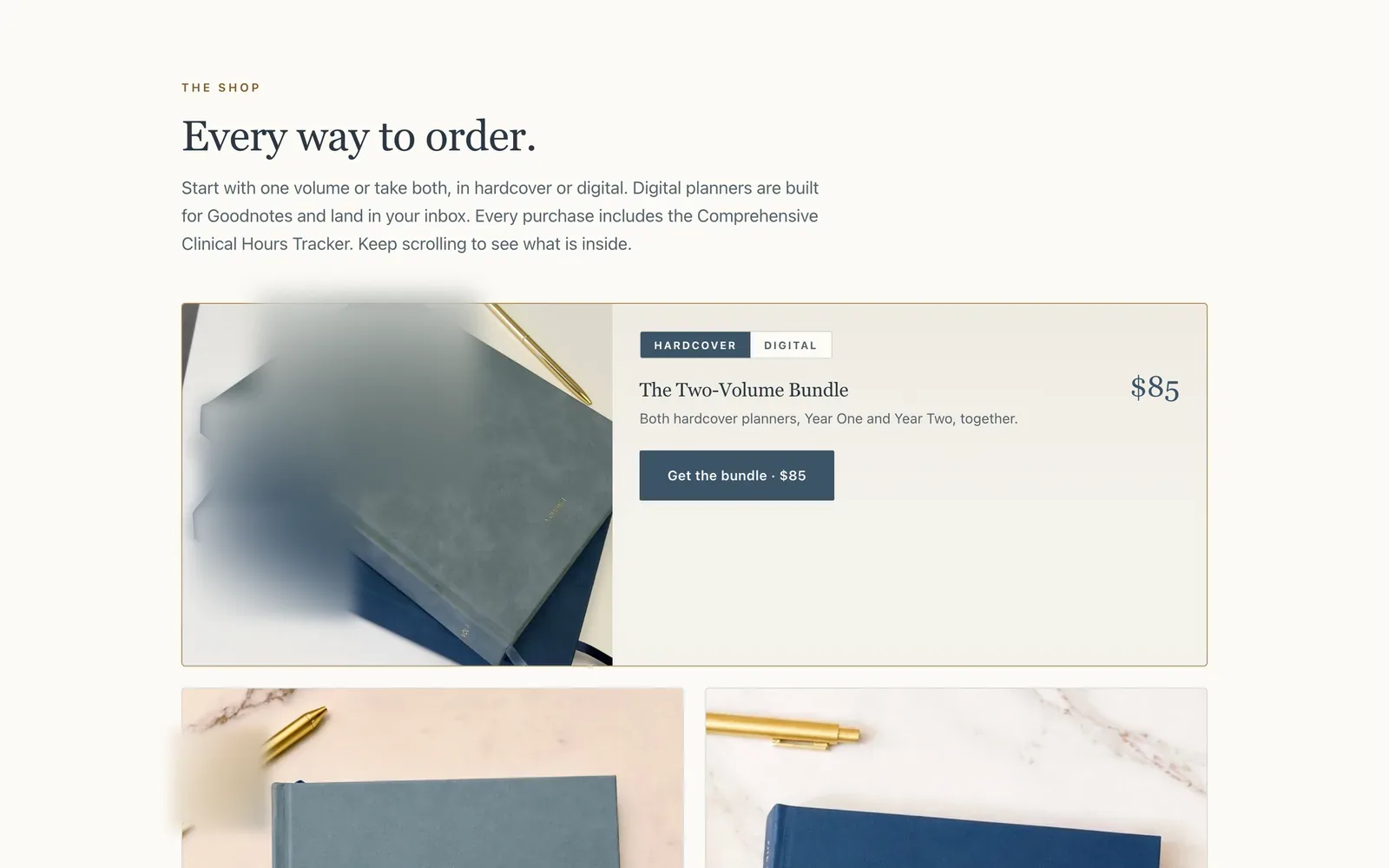
- A home page that works as the store: the headline and the bundle first, then every product, then what's inside, with a Shop all link to the full Shopify catalog.
- A hardcover or digital switch on each planner card that swaps the description, the price and the checkout link in place.
- Buy buttons that skip the cart page: each one is a Shopify link that adds the item and opens checkout, where buyers can pay with Shop Pay, PayPal, Google Pay or Venmo.
- A look-inside page where visitors flip through labeled sample pages from Volume I, Volume II and the companion journal, and tap any page to enlarge it.
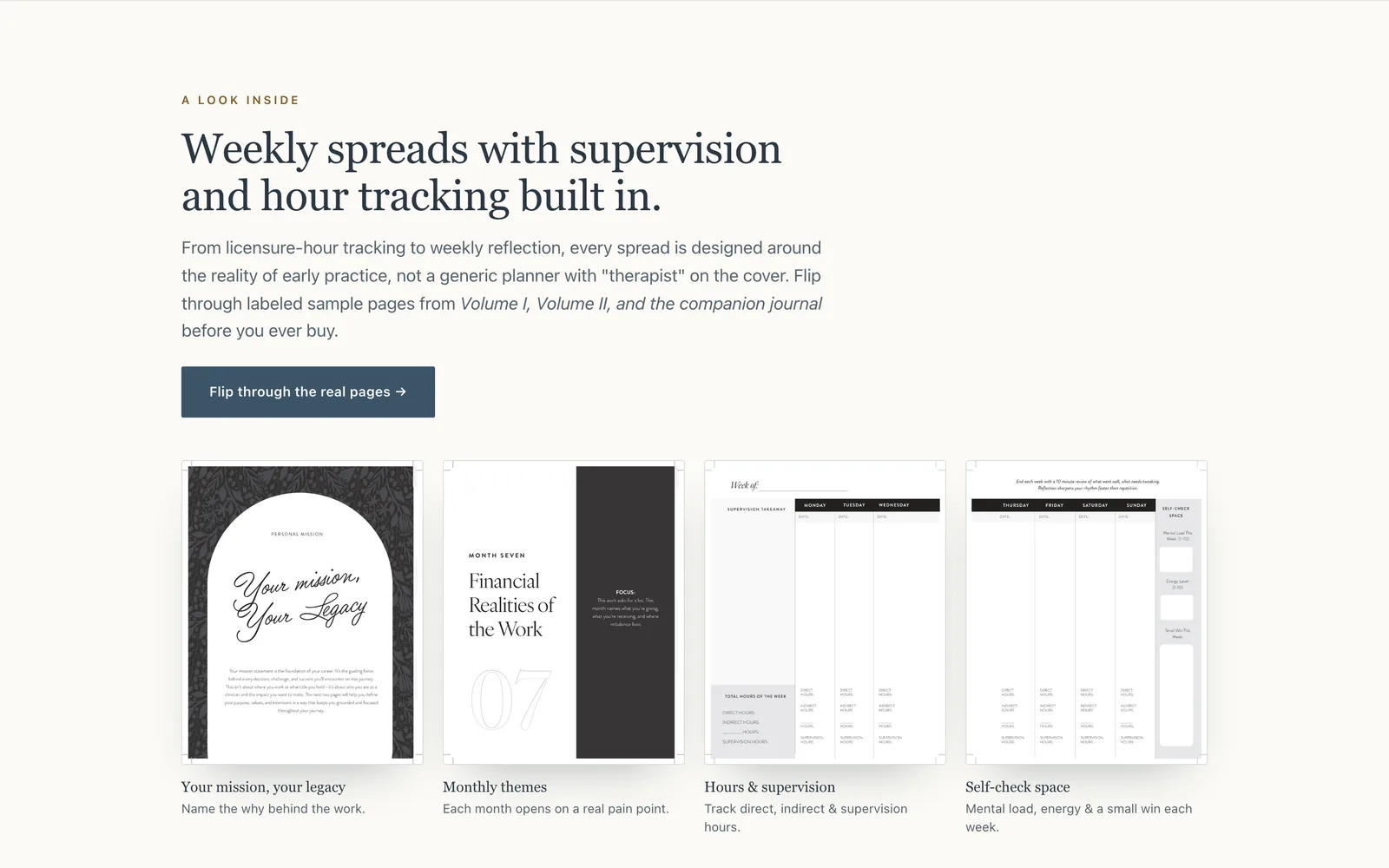
- A weekly spreads section on the home page, showing the pages for direct hours, indirect hours, supervision hours and a weekly self-check.
- A walkthrough video that plays muted when it scrolls into view and pauses when it scrolls away.
- A tracker page for the free clinical hours tracker, a Google Sheets file each buyer copies into their own Drive.
- A collection section for shirts and a mug, made to order and linked to their Shopify product pages for size and color.
- Shipping, refund and disclaimer pages, including a plain note that the planners are not therapy or clinical supervision.
- Product and FAQ details marked up for search engines, so they can read what's for sale without guessing.
The store on a laptop and a phone
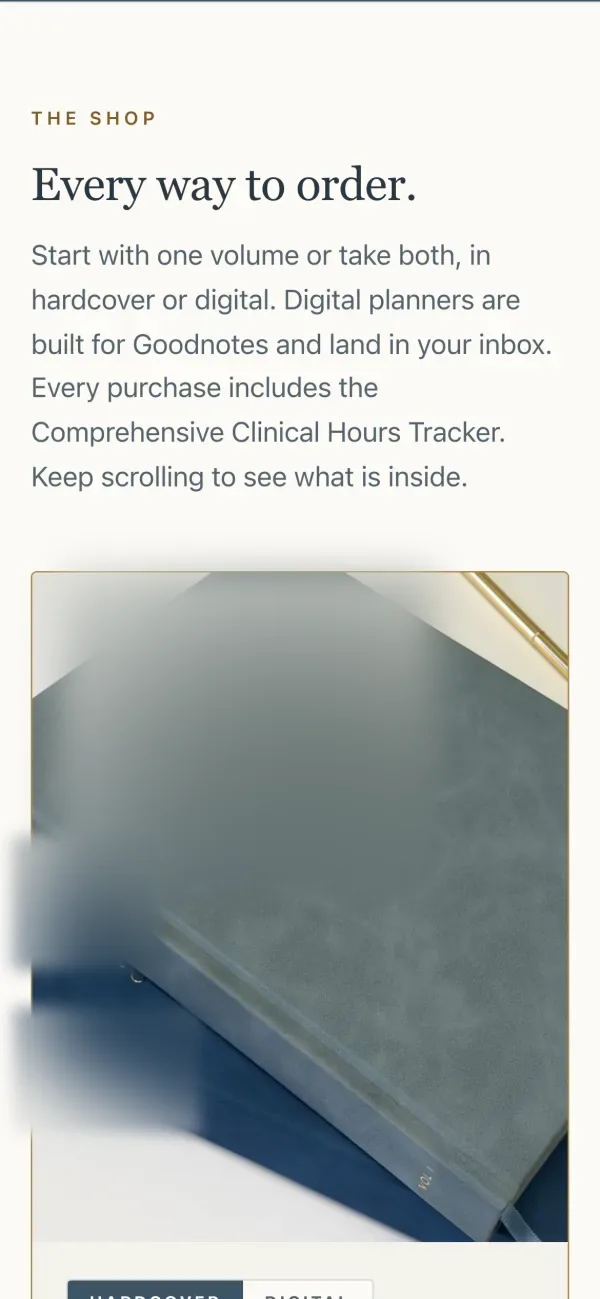
These are captures of the live store taken on October 15, 2026. On a laptop: the shop section with the bundle and the hardcover or digital switch, and the weekly spreads section with four sample pages. On a phone: the first screen with the planners, and the shop section as a buyer sees it there.

Checkout without building a cart
We let Shopify handle the money. The products, cart and checkout live in a Shopify store, and each buy button on our pages is a Shopify link that adds that item and opens checkout. We control how the product is shown. Shopify takes the payment and records the order. That split kept the build small and easy to change.
Building a cart and a payment page from scratch for a handful of products would have been slow, and it would have been one more thing to keep secure. Shopify already does checkout well, and buyers know it. So the store pages stay plain, and the moment someone taps buy, they're on a checkout they trust.
The hardcover or digital switch is the one real piece of logic on the page. Flip it on a planner card, and the description, the price and the buy link all change together, so nobody lands at checkout with the wrong edition.
The pages themselves are static files on Vercel. There's no server of our own to keep running and no plugins to update. Adding a product means adding it in Shopify, then pasting its link onto the page.
Showing the pages before the sale
For a planner, the inside is the product. So the store shows it twice: a section on the home page with four labeled sample spreads, and a look-inside page where a visitor flips through real pages from each volume and the journal. Someone can see exactly where supervision hours go before they spend anything.
The home page section is titled "Weekly spreads with supervision and hour tracking built in." It shows four pages, each with a one-line label: the personal mission page, a monthly theme, the hours and supervision spread, and the weekly self-check.
The look-inside page is a simple reader. Pick Volume I, Volume II or the companion journal, step through the pages, and tap one to see it full size. At the end, the bundle is right there with a buy button.
The people this is for are early in their careers and careful with money. They want to know the planner fits the way they log hours. Showing the pages answers that better than any description we could write.
A free hours tracker with its own page
Every purchase comes with a free clinical hours tracker, a Google Sheets file for logging direct hours, indirect hours and supervision. We gave it its own page that explains how to copy it into your own Drive, what it does, and what it isn't: an official record. The page links back to the planners.
The tracker page is short on purpose: make a copy, log as you go, and watch the totals add up. The copy lands in the buyer's own Google Drive, so their hours stay private to them.
It is careful about what it promises. Licensing rules differ by state and by license type, and the page says so plainly, pointing people to their supervisor and their state board.
The planner and the spreadsheet do the same job two ways. Some people write hours down in the moment and want a running total later, and the page says that too.
What it does for the owner
The store runs without anyone tending it. Payment and orders happen in Shopify, the pages stay up on Vercel, and adding a product means adding it in Shopify and pasting its link onto the page. We have not published sales numbers, so this page does not claim any results.
For a small brand, the real cost of a store is time. This one has very little to maintain: no server, no plugins, no cart code of our own. When something changes, it's usually a line of copy or a link.
The look-inside page and the weekly spreads section do the explaining a person would otherwise do one message at a time. A buyer can answer "does it track supervision hours?" by looking.
What we can't show yet is how many people bought, how many looked inside first, or how many chose digital over hardcover. When we publish those, they will be real counts from Shopify, with dates. This kind of build is part of our marketing work.
What a person still decides
Everything that makes the planner worth buying is decided by a person: what goes on each page, the monthly themes and stories, the prices, and which products to offer. A person also answers every email, replaces any planner that arrives damaged, and decides when a new product or edition goes live on the store.
The store doesn't write anything. The pages, the stories and the reflection questions come from a licensed therapist. Our job was to present that work clearly and then get out of the way.
Shopify takes payment and records the order, but a person decides what's for sale and at what price, and checks that every buy button points to the right product before it goes live.
What we would do differently
Three things. Put the products into Shopify before designing the page, keep every price in one place, and decide what to measure before launch. Each one comes from building and running our own store, and each one is now how we start an online store for a client, before any page is designed.
- Products first, page second. We designed the store first and pasted the Shopify links in later, which meant writing a fallback for buy buttons that weren't ready yet. On the next store, every product is set up in Shopify before the page is built.
- One home for every price. Right now a price lives in three places: Shopify, the page, and the data for search engines. Change one and forget another, and they disagree. Next time we would read prices from Shopify so there is only one to change.
- Decide the numbers before launch. We would track look-inside visits and buy clicks from day one, so this page could show which part of the store does the selling instead of saying there is no number yet.
Selling something online?
Book a free call. Bring the product and how people buy it today, and we'll tell you what we would build.
Flat price in writing · You own what we build · Houston and about 50 minutes around